
Buying Google Maps Lead Lists vs Building Your Own: Cost, Quality and Risk
Key takeaways
- Buying a ready-made list is faster than building one, but you inherit its age, its gaps and the fact that other buyers may have the same list.
- Building your own from Google Maps costs more of your time and less money, and lets you choose the fields, the area and the date.
- Whichever you choose, verify a sample before you commit, and remember that contact rules apply to you as the sender, not to the seller.
- A small purchased list can make sense as a shortcut. It should never replace checking the data.
Searches for "buy Google Maps leads" and "buy local business email list" usually come from someone with a deadline. A ready-made spreadsheet looks like the quickest way to a first campaign.
It can be. It can also be the most expensive way to learn that half the addresses bounce. This guide compares buying a list with building your own on cost, quality, control and risk, and gives you a checklist for testing a list before you pay for all of it.
What you are actually buying
A lead list sold online is a snapshot taken at some point in the past, by the seller, by a method they may or may not describe. It might come from Google Maps, from public directories, from other lists, or from a mixture. It may be sold once, or to many buyers.
That last point matters. If the same list goes to many buyers, the same businesses receive the same pitches from many senders, and some addresses on such lists end up flagged as spam sources.
Buying versus building
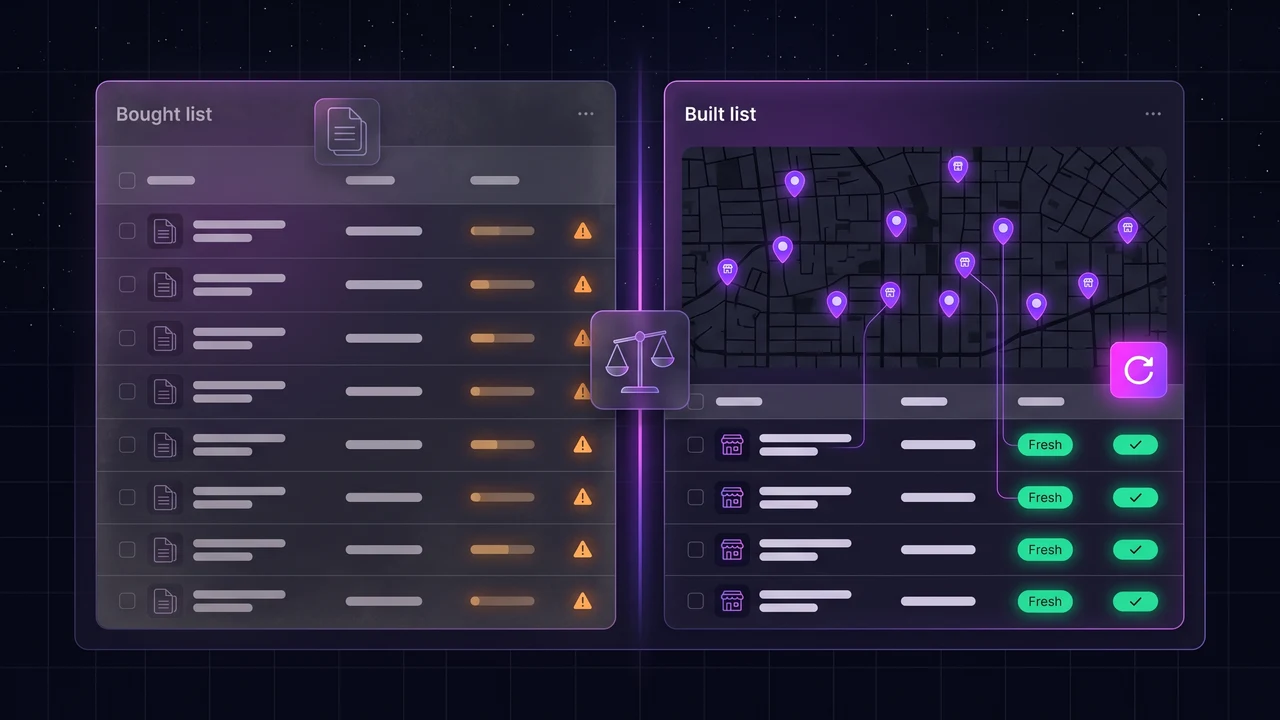
| Buy a list | Build your own | |
|---|---|---|
| Speed | Immediate | Minutes to hours per search |
| Cost | A fixed price for a fixed number of records, sometimes per use | A tool subscription, or your own time |
| Freshness | As old as the seller's last update, which you may not be told | As of the day you run the search |
| Fit to your offer | Whatever the seller has, filtered by their categories | Any trade, area and filter you choose |
| Fields | The columns the seller decided to include | The fields your tool collects, including website emails |
| Exclusivity | Often none | Yours alone, until you share it |
| Provenance | Often unclear | You know where it came from |
| Effort | Low | Medium |
Risks of buying
- Old data. People leave, businesses close, numbers change. You will not know how much of the list is affected until you test it.
- Unknown origin. A seller who cannot say where the data came from cannot tell you whether it was collected in a way you are comfortable with.
- Shared lists. Many buyers, the same recipients, and a higher chance of complaints.
- Compliance stays with you. Buying a list does not transfer the legal responsibility for how you use it. In many countries the sender must follow the rules on email, calls and personal data, whatever the source.
- Traps and bounces. Bad addresses damage your sending domain. See how to verify a list of emails.
Test a list before you pay for all of it
- Ask for a sample of 50 to 100 records in the same format as the full list.
- Check twenty rows by hand. Open Google Maps or the business site. Is the business open, and are the phone and website right?
- Run the emails through format and mail-server checks. What share fail?
- Ask where the data came from and when it was collected. Note whether the answer is specific.
- Ask whether the list is sold to others. And whether you will get updates.
- Check the refund policy. What happens if the data is worse than promised?
If the seller will not give a sample, that tells you what you need to know.
When buying makes sense
- You need a small list once, in a niche or area you do not plan to work again.
- The list is specialised in a way that Google Maps cannot provide, and you have checked a sample.
- You have the time to verify it and the discipline to send small first batches.
For ongoing prospecting, the economics usually favour building. A search you can repeat every month gives you fresh data at a predictable price. See how to find local business leads for the method.
Building your own list from Google Maps
With a tool such as LeadOutreach, a search for a trade and a city returns businesses from Google Maps with their phone number and website, then finds emails and social links on those websites and runs basic email checks. You filter by website, phone, rating or social presence, and export a CSV or send leads to your CRM on higher plans. The free plan gives you 100 leads a month, which is enough to compare the result with a sample from a seller.
The main limit of any Google Maps search is that it shows only part of the businesses in an area, which the guide on covering a whole city explains. Whichever route you choose, read Is scraping Google Maps legal? before you send anything.
Start Finding Verified Leads Today
Extract verified emails, phone numbers, and social links from Google Maps. Start with a 7-day Starter trial (1,000 leads included) and keep 100 free leads every month forever after. No credit card required.
Instant setup · No credit card required · 100 free leads/mo forever after
Related articles
Local Business Lead Generation: How to Find & Generate Leads
Local business directories hold the contact info of 200M+ businesses. Here is the exact process to turn them into verified, AI-scored sales leads.
How to Verify a List of Email Addresses for Free (Before You Send)
What verification catches, a free script you can run today and the small test send that catches the rest.
Is Scraping Google Maps Legal? GDPR, CAN-SPAM & CCPA Rules for Lead Generation (2026)
Collecting public business data from Google Maps is generally legal, but cold email has rules. Here is what hiQ v. LinkedIn, GDPR, CAN-SPAM and CCPA actually require.
Frequently asked questions
Buying a list is not the issue by itself. What you do with it is governed by the rules on email, calls and personal data in the countries you contact, and those apply to you as the sender. Rules differ, so read them and take advice for your situation.
Quality varies widely. Some are recent and accurate, and many are old, shared with other buyers, or of unknown origin. Ask for a sample, check twenty rows by hand and run the emails through checks before you buy the full list.
Prices vary by seller, number of records and how the list is licensed. Compare the cost per usable lead after you have tested a sample, not the headline price.
Usually, for ongoing prospecting, because a repeatable search gives you fresh data at a predictable price. It costs your time, and a free plan lets you test it before paying.
Ask the seller directly and note whether the answer is clear. If they will not say, assume it is.