
Google Maps Lead Generation: How to Find & Extract Business Leads
Key takeaways
- Google Maps provides a real-time, global database of active local businesses and service providers
- Google Maps lead generation combines listing discovery with website email extraction and verification
- Raw emails found online often bounce; automated MX checks are critical to protect sender reputation
- Enriching leads with tech stack data (like ad pixels) highlights immediate sales opportunities
- Using cloud lead generation tools replaces hours of manual data entry with 3-minute automated searches
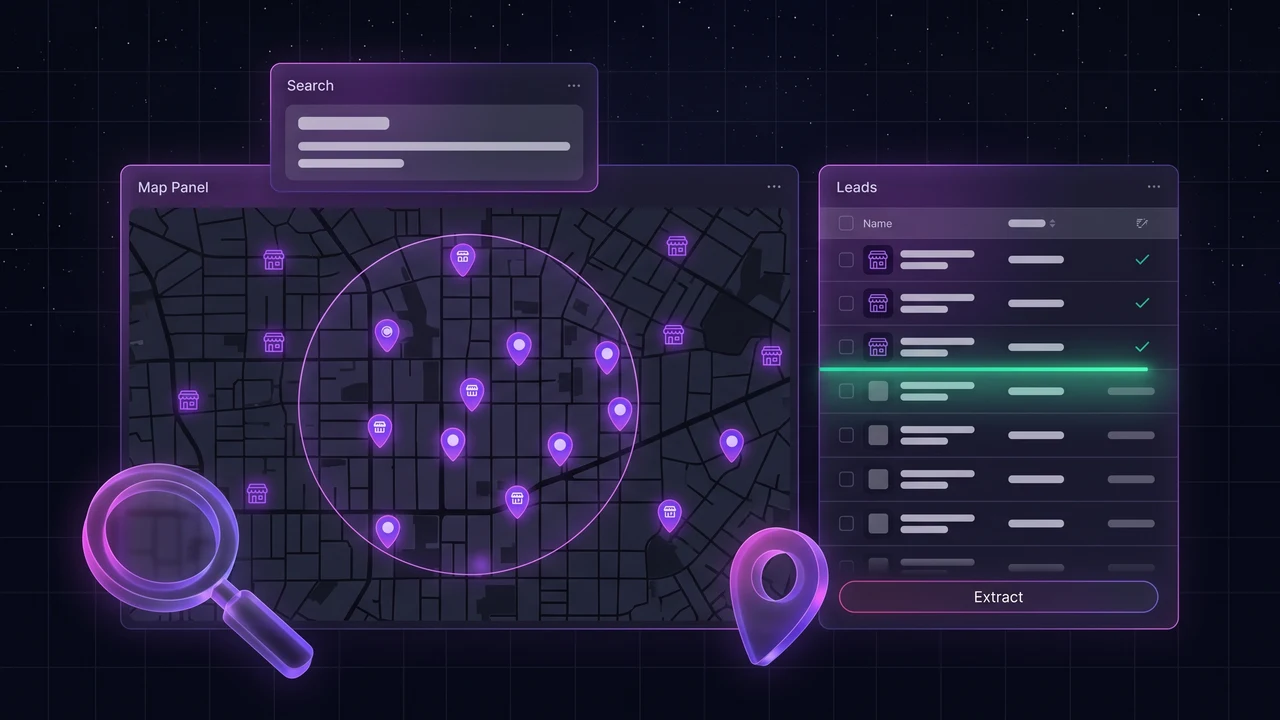
Google Maps is more than a navigation tool and local business directory—it is one of the most effective and reliable data sources available for B2B prospecting. Google Maps lead generation involves finding relevant local businesses, collecting their public profile information, discovering and verifying decision-maker contact details, qualifying prospects, and organizing them for targeted outreach.
While manual research can take 6 to 8 hours for a small list of 100 businesses, modern Google Maps lead generation tools and scrapers automate data extraction, website enrichment, and email verification in under 3 minutes.
In this guide, you will learn how Google Maps lead generation works, the data you can extract, how automated lead scrapers compare to manual research, and how to build a scalable outreach pipeline.
What is Google Maps lead generation?
Google Maps lead generation is the systematic process of sourcing B2B sales prospects from Google Business Profiles across specific cities and industries. Because local business owners actively update their operating hours, phone numbers, and websites to attract paying customers, Google Maps functions as a continuously refreshed database of real-world businesses.
This method is particularly valuable for:
- Marketing & Web Agencies: Discovering businesses that need website redesigns, SEO, review management, or paid advertising.
- B2B Service Providers: Reaching regional contractors, dentists, accountants, real estate brokers, and home service providers.
- SaaS & Software Companies: Pitching vertical-specific booking, billing, or operations software to local operators.
- Sales Teams & Recruiters: Generating high-volume, geo-targeted cold call and email contact lists.
When integrated with broader local business lead generation strategies, Google Maps provides high-accuracy discovery that traditional static databases cannot match.
How Google Maps lead generation works
A complete Google Maps prospecting workflow bridges the gap between map listings and closed sales conversations through seven clear stages:
- Choose an industry: Target a specific business vertical (such as plumbing, commercial cleaning, or dental care) to tailor your outreach messaging.
- Choose target locations: Narrow your focus to specific cities or metropolitan areas rather than broad regional searches.
- Find relevant Google Maps listings: Search for local operators matching your criteria and review their profile signals.
- Collect business information: Gather core listing data including company names, physical addresses, and primary phone numbers.
- Find and verify contact details: Crawl linked websites to extract public contact emails and validate them against live mail servers.
- Qualify and segment leads: Analyze review counts, website quality, and marketing pixel status to categorize leads as Hot, Warm, or Cold.
- Export and start outreach: Sync organized lead data into your CRM and launch personalized email, phone, or multi-channel campaigns.
What data can you extract from Google Maps for leads?
When evaluating prospects, you need both baseline directory data and enriched technical signals. Here is the data typically available:
Direct Google Business Profile data
- Business Name & Primary Category: Confirms the company matches your target ICP.
- Full Physical Address: Enables localized geographic targeting and postal routing.
- Primary Phone Number: Direct line for receptionist or sales outreach.
- Website URL: The gateway to email discovery, site speed audits, and tech analysis.
- Google Rating & Review Count: Clear indicator of reputation and customer satisfaction.
- Operating Hours: Informs optimal call scheduling during open business hours.
Enriched website & intelligence data
Because Google Maps listings do not natively display contact emails, dedicated lead generation tools crawl the business's linked website to provide:
- Verified Contact Emails: Extracted from contact pages and validated via MX record checks.
- Advertising Pixels (where available): Detects Facebook Pixel, Google Tag Manager, GA4, or TikTok Pixel presence.
- Social Media Profiles: Discovered links to active LinkedIn, Facebook, and Instagram accounts.
- AI Lead Intent Scores: Prioritizes companies based on technical maturity and marketing gaps.
Google Maps lead scraper methods compared
Google Maps lead generation can be performed manually or accelerated using automated software. Here is how the primary methods compare:
| Capability | Manual Copy | Python Script | Legacy Scraper | LeadOutreach |
|---|---|---|---|---|
| Extraction Speed (200 leads) | 6 - 8 hours | 30 - 45 min | 15 - 30 min | 2 - 3 minutes |
| Verified Email Finding | No: No | No: Unverified | Warning: High bounce rate | Yes: MX-checked emails |
| Ad Pixel Detection (FB/Google/TikTok) | No: No | No: Custom parser needed | No: No | Yes: Built-in |
| AI Lead Scoring (Hot/Warm/Cold) | No: No | No: No | No: No | Yes: Automatic |
| CRM Integrations (HubSpot/GHL) | No: Manual entry | No: Custom API code | No: CSV export only | Yes: 1-Click sync |
| Technical Skills Required | None | Python, Selenium, Proxies | Moderate setup | Zero (No-code UI) |
How to generate leads from Google Maps
Follow this 5-step process to compile clean, enriched, and CRM-ready local business leads in minutes:
- Step 1: Choose your target industry and location: Define a clear business niche and geographic territory—for example, 'HVAC contractors in Dallas, TX' or 'commercial cleaning services in Manchester'. Narrowing your search by city delivers higher relevance, better response rates, and manageable batch sizes.
- Step 2: Find relevant Google Maps businesses: Identify active companies listed on Google Maps. Cloud-based lead tools search across local map coordinates to compile business names, physical addresses, review counts, phone numbers, and official website links without manual copy-pasting.
- Step 3: Discover and verify contact information: Because Google Maps listings rarely list direct email addresses, modern lead software automatically crawls each business's linked website to locate contact inboxes. Each email is verified against live mail exchange (MX) servers to eliminate invalid addresses before sending.
- Step 4: Enrich and qualify your leads: Inspect marketing signals and technical gaps where available—such as installed Facebook Pixels, Google Tag Manager status, active social media profiles, and review recency—to tag high-intent prospects for priority outreach.
- Step 5: Export leads for outreach: Download clean, formatted CSV/Excel spreadsheets or sync qualified records directly into your CRM (such as HubSpot, GoHighLevel, or Salesforce) with all custom fields and scores preserved.
How to find verified emails from Google Maps leads
One of the biggest obstacles in Google Maps prospecting is that Google does not publish email addresses on map listings. To bridge this gap safely without damaging your email sender reputation:
- Extract the website URL: Capture the official domain listed on the Google Business Profile.
- Crawl public contact pages:Scan contact forms, headers, footers, and "About Us" pages for public business email addresses.
- Perform live MX validation: Check that the target domain has active mail servers and that the specific inbox exists, filtering out catch-all or abandoned addresses.
Platforms like LeadOutreach handle this entire verification pipeline automatically during extraction, preventing high bounce rates from damaging your cold email deliverability.
The secret weapon: ad pixel & tech stack enrichment
Standard lead lists only provide basic contact details. The greatest leverage for B2B sales teams lies in actionable buying signals.
When automated tools inspect linked websites for tracking scripts, they uncover key qualification data (where available):
- Facebook Pixel missing: A direct hook for digital advertising agencies to offer Meta ads setup.
- Google Tag Manager / GA4 absent: A clear indicator that the business is not tracking visitor conversions.
- TikTok Pixel detected: Demonstrates that the company has active budget allocated toward social advertising.
- Review recency & rating: Identifies companies with neglected reputation management or low star ratings.
Referencing these concrete technical observations in your initial outreach significantly outperforms generic, one-size-fits-all email templates.
How to scale Google Maps lead generation
To maintain a reliable sales pipeline, structure your prospecting in manageable, recurring cycles:
- Segment by city batches: Run targeted queries for 200–400 businesses per city rather than unfocused national searches.
- Automate CRM synchronization: Push scored leads directly into HubSpot, GoHighLevel, or Salesforce with all custom tags intact.
- Maintain schedule cadences: Conduct weekly prospecting runs to capture newly established businesses soon after their listings go live.
Best practices for Google Maps lead generation
- Target specific geographic areas: Localized searches produce higher response rates and more actionable prospect lists.
- Never send to unverified emails: High bounce rates result in spam blacklisting by Google Workspace and Microsoft 365.
- Segment prospects by AI score: Prioritize Hot leads for immediate phone calls or personalized video audits.
- Keep outreach compliant: Always provide clear opt-out links and accurate sender business details in cold emails.
Best Google Maps lead generation tools
Depending on your technical resources and lead volume, several approaches exist for Google Maps data collection:
- Manual Research: Suitable for low-volume testing (10-20 leads), but slow and labor-intensive.
- Custom Python / Scraper Scripts: Flexible for developers, but requires maintaining proxies, headless browsers, and custom email parsers.
- Legacy Scrapers: Extracts raw CSV data quickly, but typically lacks email verification and CRM integration.
- All-in-One Platforms (LeadOutreach): Automates cloud extraction, website email discovery, MX verification, AI scoring, and direct CRM sync with zero coding required.
Is Google Maps lead generation legal?
Collecting and researching publicly available business contact information from Google Maps and commercial websites is standard B2B practice. Because business owners publish their details publicly to receive inquiries, gathering this data for commercial research is generally lawful.
However, when reaching out via email or phone, you must adhere to regional communication laws:
- United States (CAN-SPAM): Include a physical business address, accurate subject lines, and a working opt-out link.
- European Union (GDPR): Ensure you have a 'legitimate interest' basis for B2B communications and honor unsubscribe requests immediately.
- Scope Limitation: Restrict your prospecting strictly to commercial B2B entities and avoid personal consumer data.
For a comprehensive review of court rulings and legal frameworks, read our complete guide to the legal rules for scraping Google Maps.
Ready to put this into action? You can start your 7-day free trial with 1,000 verified leads (and 100 free leads every month forever after)—no credit card required.
Start Finding Verified Leads Today
Extract verified emails, phone numbers, and social links from Google Maps. Start with a 7-day Starter trial (1,000 leads included) and keep 100 free leads every month forever after. No credit card required.
Instant setup · No credit card required · 100 free leads/mo forever after
Related articles
Local Business Lead Generation (Step-by-Step)
Turn local directory data into verified B2B sales pipelines.
How to Get Agency Clients from Google Maps
The cold outreach playbook to land $2,500+ retainers.
Google Places API vs a Google Maps Scraper
Result caps, missing emails, and terms of use, compared honestly.
Best Apify Alternatives for Google Maps
No-code options when you do not want to maintain an Actor.
Frequently asked questions
Google Maps lead generation is the process of discovering local B2B businesses, extracting their public directory information, finding verified decision-maker emails, and qualifying them as sales prospects for cold outreach.
To generate leads from Google Maps, search for specific niche and city combinations (e.g. 'plumbers in Atlanta'), gather company details and websites, discover and verify contact emails, score prospects based on business signals, and export the list to your CRM.
A Google Maps lead scraper is an automated software tool that extracts public business data from Google Maps listings—including business names, addresses, phone numbers, ratings, and websites—and can enrich listings with verified contact emails.
No, Google Maps listings do not natively display email addresses. Modern tools like LeadOutreach solve this by automatically crawling the website linked in the business's Google listing, discovering contact emails, and validating them against live mail servers.
The best tool combines map data extraction with real-time email verification, tech stack enrichment (such as Facebook Pixel status), and direct CRM integration. LeadOutreach is designed specifically for this end-to-end workflow.
With a dedicated lead generation platform, you can export your compiled leads as formatted CSV or Excel files, or use native integrations to sync them directly into CRMs like HubSpot, GoHighLevel, and Salesforce.