
Google Places API Free Tier: How Much You Can Extract for Free (2026)
Key takeaways
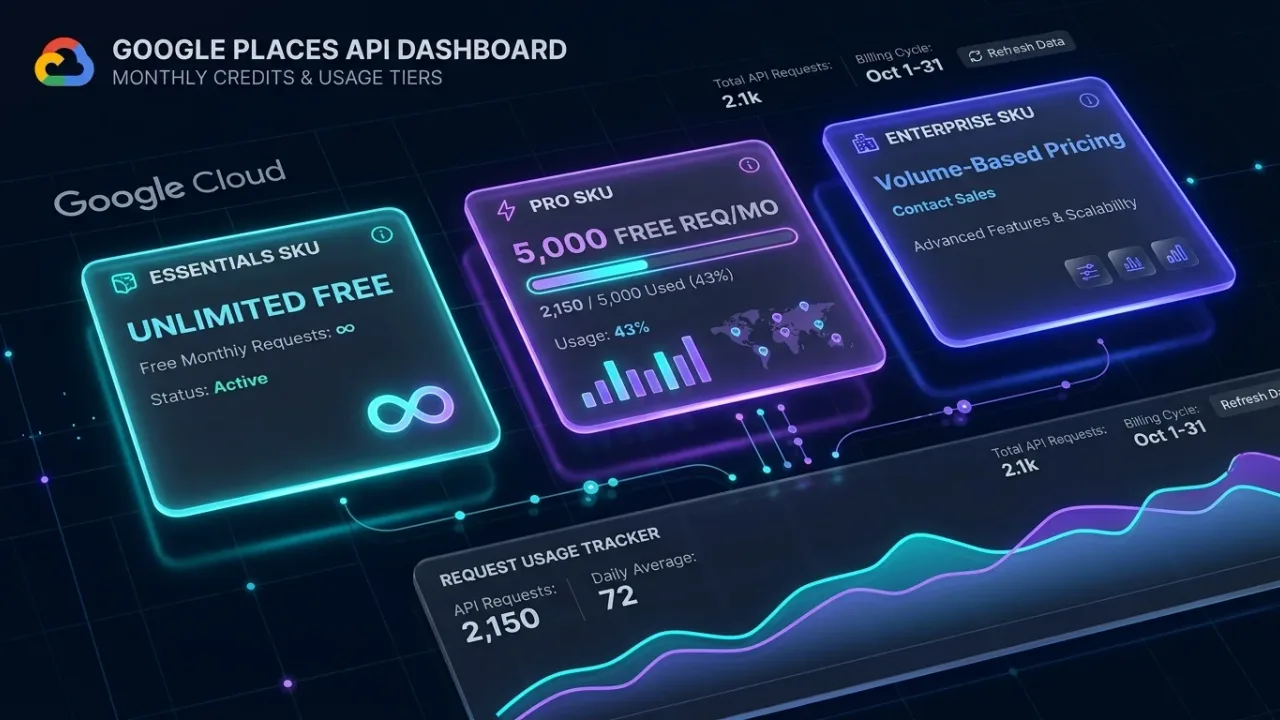
- There is no single Places API free tier. Each SKU has its own free monthly usage: the IDs-only Essentials tier is unlimited, Pro includes 5,000 free requests a month and Enterprise 1,000, as shown on Google's price list.
- A billing account must be enabled on the project even if you never exceed the free usage. Free means no charge, not no card.
- The fields in your field mask decide which tier you are billed at. Asking for a phone number or website moves a request from Pro to Enterprise.
- Text Search returns at most 20 places per request and 60 per query, so 1,000 free Enterprise requests are at most 20,000 place records a month before duplicates.
"Is the Google Places API free?" has a more precise answer than most people expect, and it depends on which fields you ask for. Google prices the API per request, in tiers, and gives each tier its own amount of free usage every month. If you only need place IDs, it is free without limit. If you need phone numbers and websites, you get a fixed number of free requests and then pay per thousand.
This guide explains what free means for each tier, why a billing account is still required, how a single field in your request can move you to a more expensive tier, and how far the free Enterprise requests go when you are building a lead list. Everything about prices and limits below comes from Google's own pricing and documentation pages, linked at the end.
Free usage per tier, not one free tier
Google's usage-and-billing page describes Places API (New) as pay-as-you-go, with each request billed under a SKU. The SKUs are grouped into Essentials, Pro and Enterprise, and the price list gives each one its own free monthly allowance. For Text Search, the price list showed these figures when it was last checked (Google's page carried a last-updated date of 2026-09-17 at the time):
| Tier | Free usage per month | Price per 1,000 requests after that | Example fields |
|---|---|---|---|
| Essentials (IDs only) | Unlimited | No charge | Place ID |
| Pro | 5,000 requests | $32.00 | Name, address, location, business status, types |
| Enterprise | 1,000 requests | $35.00 | Phone, website, rating, review count, opening hours |
| Enterprise + Atmosphere | 1,000 requests | $40.00 | Reviews text, editorial summary, amenities |
Entry-tier prices; volume discounts apply at higher usage. Check Google's current price list before planning around these numbers.
The free allowances are per SKU, so using 1,000 free Enterprise Text Search requests does not consume your Pro allowance, and Nearby Search has its own set. Google's billing page also notes that the older model, a $200 monthly credit applied across SKUs, ran until February 28, 2025. If you read an article that talks about the $200 credit, it describes the previous scheme.
You still need a billing account
Google's usage-and-billing page states that billing must be enabled on the project and that every request needs an API key or OAuth token. Free usage is applied as a discount against a bill that would otherwise exist. In practice this means:
- You create a Google Cloud project, attach a billing account with a payment method, and enable the Places API (New) on it.
- Requests within the free allowance appear on the bill at no charge; requests beyond it are charged at the tier price.
- Nothing stops you exceeding the free usage by default. A budget alert in the Cloud console warns you; it does not cut you off. To cap spending, set a daily quota on the API itself and restrict the key so it cannot be used from anywhere else.
If you would rather not attach a card at all, the API is not the route. A hosted tool with a genuinely card-free plan is; more on that below.
How the field mask moves you between tiers
Every Places API (New) request must include a field mask listing the fields you want back; the Text Search page says that omitting it returns an error. The billing page then explains the rule that matters for cost: you are billed at the highest SKU applicable to your request. Its own example is that if you select fields in both Essentials and Pro, you are billed at Pro.
The Text Search documentation lists which fields sit in which tier. A few that matter for lead lists:
| Tier | Field mask entries (Text Search) |
|---|---|
| Essentials (IDs only) | places.id, places.name, places.attributions, nextPageToken |
| Pro | places.displayName, places.formattedAddress, places.location, places.businessStatus, places.types, places.primaryType |
| Enterprise | places.nationalPhoneNumber, places.internationalPhoneNumber, places.websiteUri, places.rating, places.userRatingCount, places.regularOpeningHours |
| Enterprise + Atmosphere | places.reviews, places.editorialSummary, places.parkingOptions, places.outdoorSeating |
So a request for places.displayName,places.formattedAddress is a Pro request and draws on the 5,000 free. Add places.websiteUri and the same request becomes Enterprise, drawing on the 1,000 free and costing $35 per 1,000 afterwards. Add places.reviews and it is Enterprise + Atmosphere at $40 per 1,000. Nothing else about the request changed.
Two-step pattern
One way to stretch the free usage is to run Text Search at the Pro tier to find and deduplicate businesses, then request Enterprise fields only for the ones you keep. Whether that saves anything depends on your duplicate rate and how many results you discard; test it on one query before assuming.
What 1,000 free Enterprise requests buy for a lead list
The Text Search page says a request returns 20 results per page by default (the pageSize parameter accepts 1 to 20) and that Text Search (New) returns a maximum of 60 results across all pages, a limit it says is subject to change. Each page is fetched with a separate request using the pageToken from the previous response. The arithmetic follows:
- 1,000 requests times at most 20 places each is at most 20,000 place records a month at no charge, if every page is full.
- A query that goes to all three pages uses three requests for at most 60 places, so 1,000 requests is roughly 330 fully paged queries.
- Queries that overlap return the same businesses, and in a dense city the 60-result ceiling means one query never covers a whole trade. Both push the number of unique businesses per request down.
For many freelancers and small agencies, 1,000 Enterprise requests a month is enough to build a working list in a few cities without paying Google anything. The costs that remain are the ones the API does not include: email addresses, verification, filters and your time. The worked examples for larger lists are in Google Places API pricing for lead lists, and the reason the 60-result ceiling matters so much is explained in the Google Maps search results limit.
Free API or free plan on a hosted tool
| Places API free usage | LeadOutreach Free plan | |
|---|---|---|
| Card required | Yes, billing account on the project | No |
| What is free | Per SKU per month: unlimited IDs, 5,000 Pro requests, 1,000 Enterprise requests | 100 leads a month, 2 saved searches, 10 enrichment credits, standard CSV export |
| Phone, website, rating | Enterprise tier fields | Included in every lead |
| Emails from the business website | Not available from the API | Enrichment credits, with basic email checks |
| Filters such as No website | Build them yourself | Built in |
| Setup | Cloud project, billing, key, code | Sign up and search |
LeadOutreach plans above Free are Starter at $19 a month for 1,000 leads, Pro at $39 for 3,000 and Agency at $99 for 10,000; see the pricing page for current limits.
Use the API when you are building software: you want structured data on demand, you can write and maintain the code, and you are comfortable with Google's rules on how long results may be stored (check the Places API policies before building a permanent database). Use a hosted tool when the goal is a list of businesses to contact this week, especially if you need emails. The Free plan on LeadOutreach is small, but it needs no card and returns the fields the Enterprise tier charges for; see the pricing page for current limits.
Getting started within the free usage
- Create a Cloud project, enable billing, enable Places API (New), and create an API key restricted to that API.
- Set a daily quota on Text Search requests low enough that a runaway script cannot pass the free allowance in a day.
- Set a budget alert on the billing account as a second warning.
- Write your first request with a Pro-only field mask (
places.id,places.displayName,places.formattedAddress) and one page. Confirm what appears in the billing report. - Add Enterprise fields only when you need them, and deduplicate by
places.idso you never spend a request on a business you already have. - Follow the code walk-through in Google Places API with Python for business leads for paging, storage and error handling.
Check the billing report after the first week. Google's report shows usage by SKU, which is the quickest way to see whether a stray field has been pushing your requests into a tier you did not intend.
Sources and further reading
Start Finding Verified Leads Today
Extract verified emails, phone numbers, and social links from Google Maps. Start with a 7-day Starter trial (1,000 leads included) and keep 100 free leads every month forever after. No credit card required.
Instant setup · No credit card required · 100 free leads/mo forever after
Related articles
Google Places API Pricing: What a Lead List Really Costs (2026)
The published prices, the arithmetic for real lead lists and a fair comparison with a hosted tool.
Google Places API With Python: Pull Business Leads Step by Step (2026)
Set up the API, understand the request, run the full script and see where the approach stops being the best tool.
Why One Google Maps Search Never Returns Every Business (and How to Cover a Whole City)
The documented 60-result limit, a five-step method to cover a city and a way to estimate how complete your list is.
Frequently asked questions
Partly. Google gives each pricing tier its own free monthly usage: unlimited requests for the IDs-only Essentials tier, 5,000 free Pro requests and 1,000 free Enterprise requests a month for Text Search, as shown on Google's price list. Beyond those amounts you pay per 1,000 requests, and a billing account must be attached to the project.
Yes. Google's usage-and-billing page states that billing must be enabled on the project, so a payment method is required even if you stay within the free usage. The free allowance is applied as a discount against your usage rather than as a separate no-card tier.
Text Search returns at most 20 places per request and a maximum of 60 results per query across pages, so 1,000 free Enterprise requests are at most 20,000 place records a month, before duplicates. Overlapping queries and the 60-result ceiling reduce the number of unique businesses in practice.
Because at least one field in your field mask belongs to the Enterprise tier. Google bills each request at the highest SKU any requested field falls into. Phone number, website, rating and review count are all Enterprise fields; remove them and the request drops to Pro.
No. The Places API does not return email addresses at any tier. To get them you need to read each business's website separately, either with your own code or with a tool that does it for you and checks the addresses it finds.